-
Produtos
-
Instrumentos de laboratório
Outros instrumentos
-
Medidores e sondas de laboratório
Padrões de calibração
- Produtos químicos, reagentes e padrões
-
Sensores e controladores online
Controladores digitais (Transmissores) Controladores (analógicos) Acondicionamento de amostras Sensor de monitorização de sulfeto de hidrogênio
- Sistemas de laboratorio automatizados
- Claros Water Intelligence System
- Amostragem
- Kits e tiras de teste
-
Analizadores en continuo
Absorvedor de oxigénio Nutrientes Analisadores de fosfato
- NP6000sc
- Sistema FX610/FX620
- Sistema Filtrax
- Phosphax sc
- Phosphax sc LR
- 5500 sc
- 9611 sc
- NP6000sc Chemistry/Reagents
Analisadores da série EZ- Ferro
- Alumínio
- Manganês
- Fosfato
- Cloreto
- Cianeto
- Flúor
- Sulfato
- Sulfeto
- Arsênio
- Cromo
- Cobre
- Níquel
- Zinco
- Amônio
- Nitrogênio total
- Fósforo total
- Fenol
- Ácidos graxos voláteis
- Alcalinidade
- ATP
- Dureza
- Toxicidade
- Pré-condicionamento da amostra
- Boron
- Colour
- Nitrate
- Nitrite
- Silica
- Hydrogen Peroxide
- EZ Series Reagents
- EZ Series Accessories
- EZ sc Series Inorganics
- EZ sc Series Metals
- EZ sc Series Nutrients
-
Equipamento e material de laboratório
AparelhosConsumíveis de laboratório gerais Livros e material de referênciaMaterial de vidro/Material de plásticoInstrumentos
-
Microbiologia
Acessórios e químicos InstrumentosKits Material de laboratórioMeios desidratados Meios preparados
- Eletroquímica
-
Instrumentos de laboratório
- PARÁMETROS
-
Soluções de Software
-
Claros Water Intelligence System
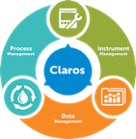
Pilares do produto Process Management
- Soluções para:
- Remoção de CBO/CQO
- Nitrificação/Desnitrificação
- Remoção de Fósforo
- Gestão de Lamas
Data Management- Soluções para:
- Recolha
- Visualização e Análise
- Relatórios
- Precisão dos Dados
Instrument Management- Soluções para:
- Manutenção
- Resolução de Problemas
- Acesso Remoto
- Comparação entre Laboratório e Processo
-
Claros Water Intelligence System
- APLICAÇÕES
- Serviços
- Noticias & Eventos


Login
Titralab AT1000 & KF1000 Series
- Visão geral
- Transferências
- Vídeos
|
|
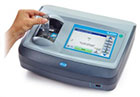
Os sistemas de análises laboratoriais Titralab da série AT1000 são analisadores automáticos de um só toque, que abrangem a titulação potenciométrica (série AT1000) e a titulação volumétrica Karl Fischer (série KF1000) com métodos predefinidos que podem proporcionar rapidamente resultados precisos e fiáveis, sem necessidade de configuração, permitindo que qualquer pessoa no laboratório realize imediatamente titulações precisas e reproduzíveis.
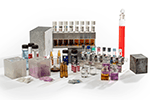
Um sistema Titralab da série 1000 é composto por dois elementos: o pacote de aplicação e o titulador (AT1000 ou KF1000). O titulador é fornecido pré-montado para uma configuração rápida e o pacote de aplicação inclui todos os elementos específicos para que seja rápido e fácil preparar e realizar um teste sem necessidade de programação complexa.
Através da disponibilização de titulações automáticas que reduzem a complexidade dos testes, o Titralab da série AT1000 aumenta a confiança nos resultados e elimina a necessidade de interpretação do operador, normalmente associada à titulação manual.
Um sistema Titralab da série 1000 é composto por dois elementos: o pacote de aplicação e o titulador (AT1000 ou KF1000). O titulador é fornecido pré-montado para uma configuração rápida e o pacote de aplicação inclui todos os elementos específicos para que seja rápido e fácil preparar e realizar um teste sem necessidade de programação complexa.
Através da disponibilização de titulações automáticas que reduzem a complexidade dos testes, o Titralab da série AT1000 aumenta a confiança nos resultados e elimina a necessidade de interpretação do operador, normalmente associada à titulação manual.